Install inSync
Install inSync on your own computer. The desktop application performs the analysis locally: no data is transmitted to the cloud, useful when security requirements demand it.
 Offline desktopOffline
Drag, drop and play
Drag video and data files into the inSync desktop application, synchronise them on one shared timeline and review them together in Stageplayer.
A practical first step
Every project, researcher and test setup can produce a different mix of cameras, measurement systems and file formats. That flexibility is valuable, but it also has a downside: separate video recordings and measurements are often difficult to review and analyse together afterwards. inSync starts with the files as they are, brings them together on one reliable timeline and reveals the relationship between video and measurements.
How it works
Install inSync on your own computer. The desktop application performs the analysis locally: no data is transmitted to the cloud, useful when security requirements demand it.
Drag video recordings, sensor data, GPS, logs and other measurement data into inSync. The system analyses the timing of the files.
inSync attempts to position all files on the timeline automatically and also provides tools for audio matching and manual visual correction where needed.
Navigate through the shared timeline, review multiple camera angles and measurements in sync, and identify and analyse relevant segments.
The event timeline
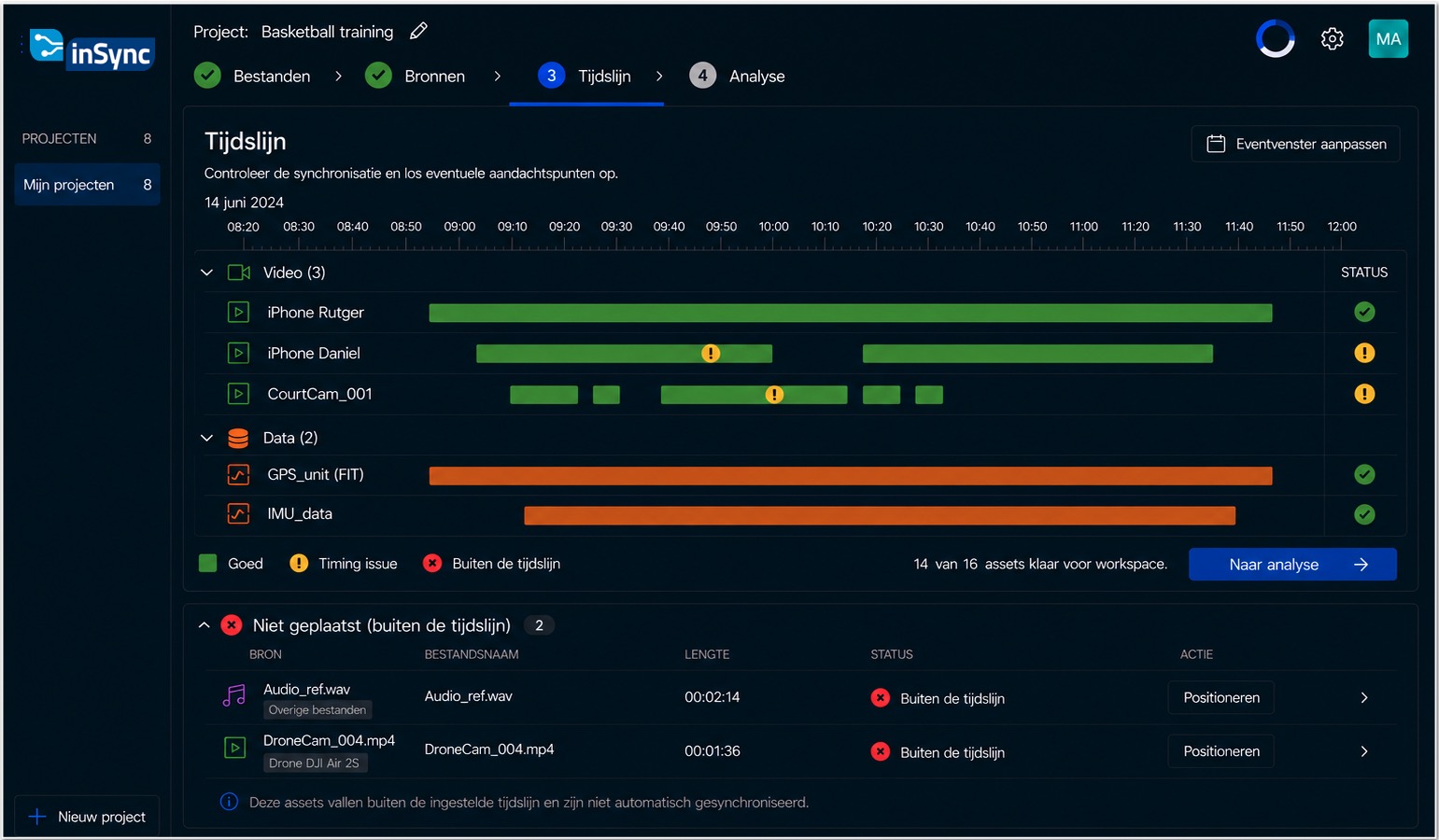
Before you open the workspace in Stageplayer, InSync brings all research sources together in one overview. You can see the duration of each source, the available time metadata and the proposed synchronisation. Sources can be matched using timestamps or audio tracks, after which you can visually verify the alignment and correct it where needed.
The result in Stageplayer
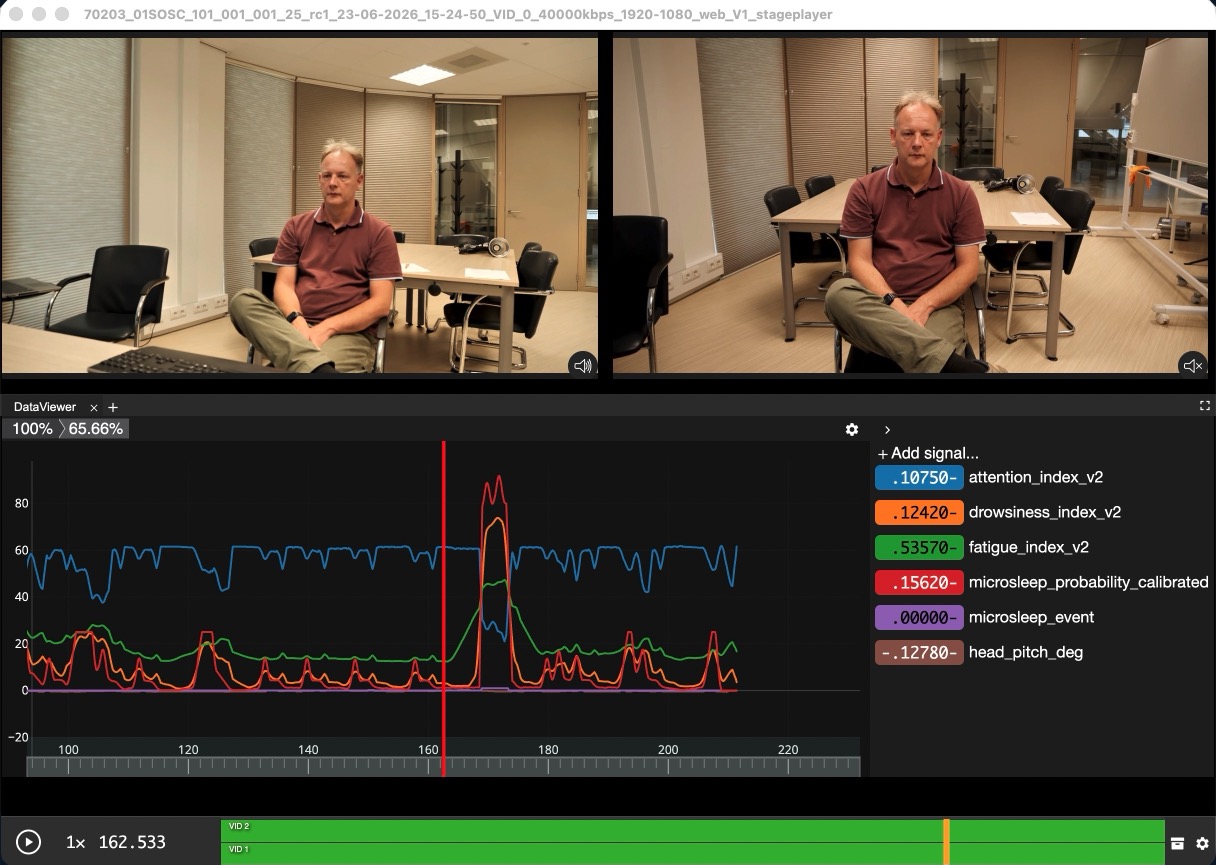
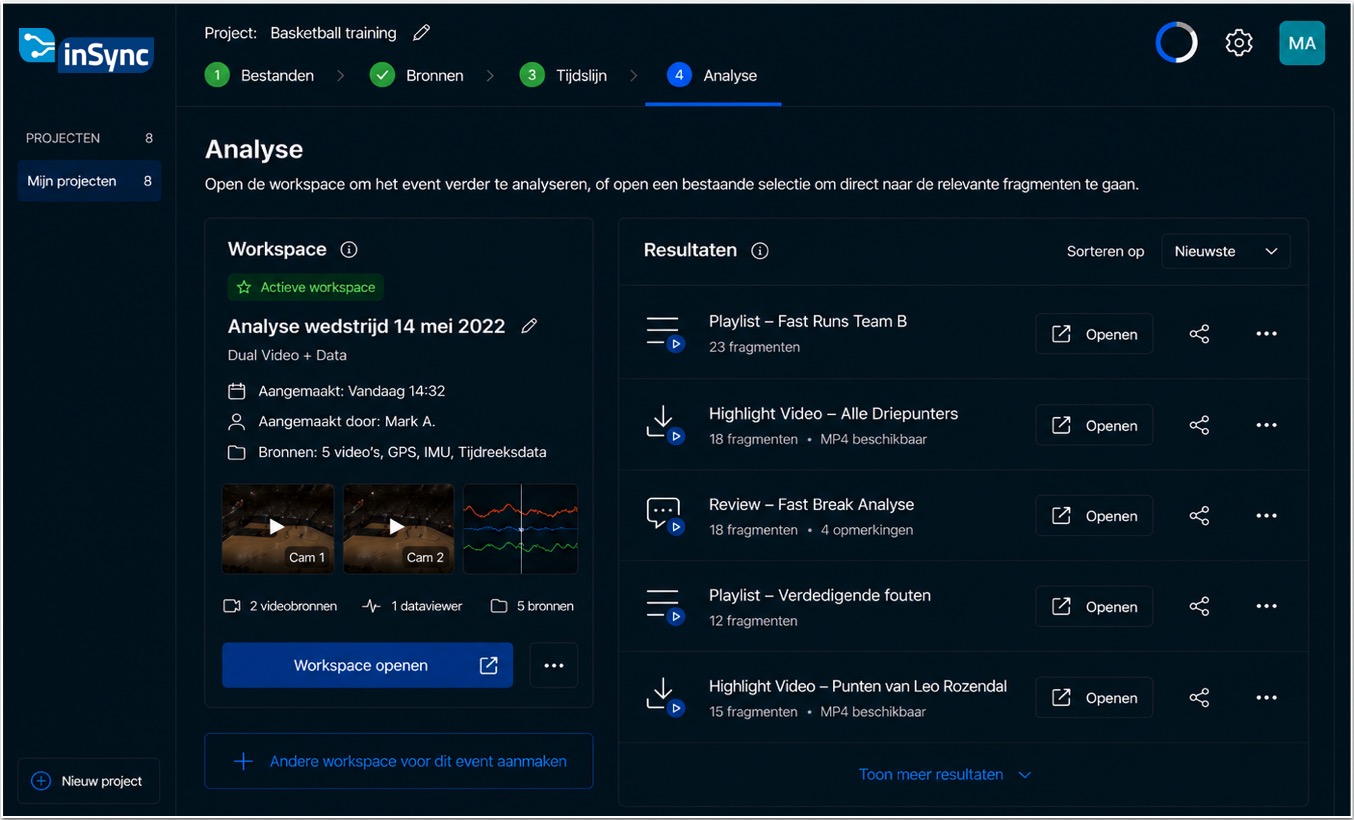
Once the sources are aligned, you open the workspace in Stageplayer. Here you can play video and measurement data simultaneously, inspect both the overall event and precise moments, and create playlists of relevant segments.
Discover the power of Stageplayer →Visualise low- and high-frequency measurements while they remain synchronised with the video.
View recordings from multiple camera angles simultaneously and play them back in slow motion for more detailed analysis.
Arrange video and data panels in a workspace that fits your analysis.
Create cross-sections based on measurements, build playlists of relevant segments and share findings with colleagues.
Validate the value on a concrete dataset before considering integrations, shared infrastructure or organisation-wide deployment.
Collecting, synchronising and analysing files takes place entirely within your own network environment. Sensitive research data will not leave the local network.
Use files and formats already produced by individual research projects. InSync does not require the institute to standardise every acquisition workflow first.
Grow when there is value
When synchronisation and analysis prove useful in practice, inSync can be expanded with more advanced analysis environments that make it easy to collaborate with colleagues. In this networked setup, videos are converted automatically and you can use annotations, smart markers, AI-assisted analysis, object detection, filtering and interfaces for different roles.
Where inSync and Stageplayer come into their own
Combine multi-camera observations, system logs and other measurements to inspect behaviour and decision-making.
Turn long sessions into focused review moments around timing, actions and critical decisions.
Bring video, telemetry and operational logs together for repeatable near-miss and incident analysis.
Enrich large volumes of observation video with detections, counts and event-based filtering.
Begin with your own data
A small local pilot can immediately show how your video and data can be analysed in Stageplayer.
Contact us to download the inSync desktop application. Both Windows and macOS are supported.
Prefer email? insync@noterik.nl